What Is RFID Filament? The Guide to Smart Spools

If you’ve been 3D printing for a while, you remember the "old days." You’d buy a new roll of filament, load it up, and then spend twenty minutes tweaking temperature settings, flow rates, and retraction distances just to get a decent first layer.
But as printers evolve from hobbyist tinkering kits to reliable consumer appliances, the materials are getting smarter, too. Enter RFID filament—often called "smart spools."
This technology promises to automate the most tedious parts of material management, but it also raises questions. Is it a convenient feature that saves time? Or is it a way for manufacturers to lock you into their ecosystem, similar to 2D printer ink?
Here is everything you need to know about RFID filament technology, how it works, and whether it’s right for your printing workflow.
What Is RFID Filament?
At first glance, a spool of RFID filament looks identical to any standard kilogram of PLA or PETG. The magic happens inside the spool hub.
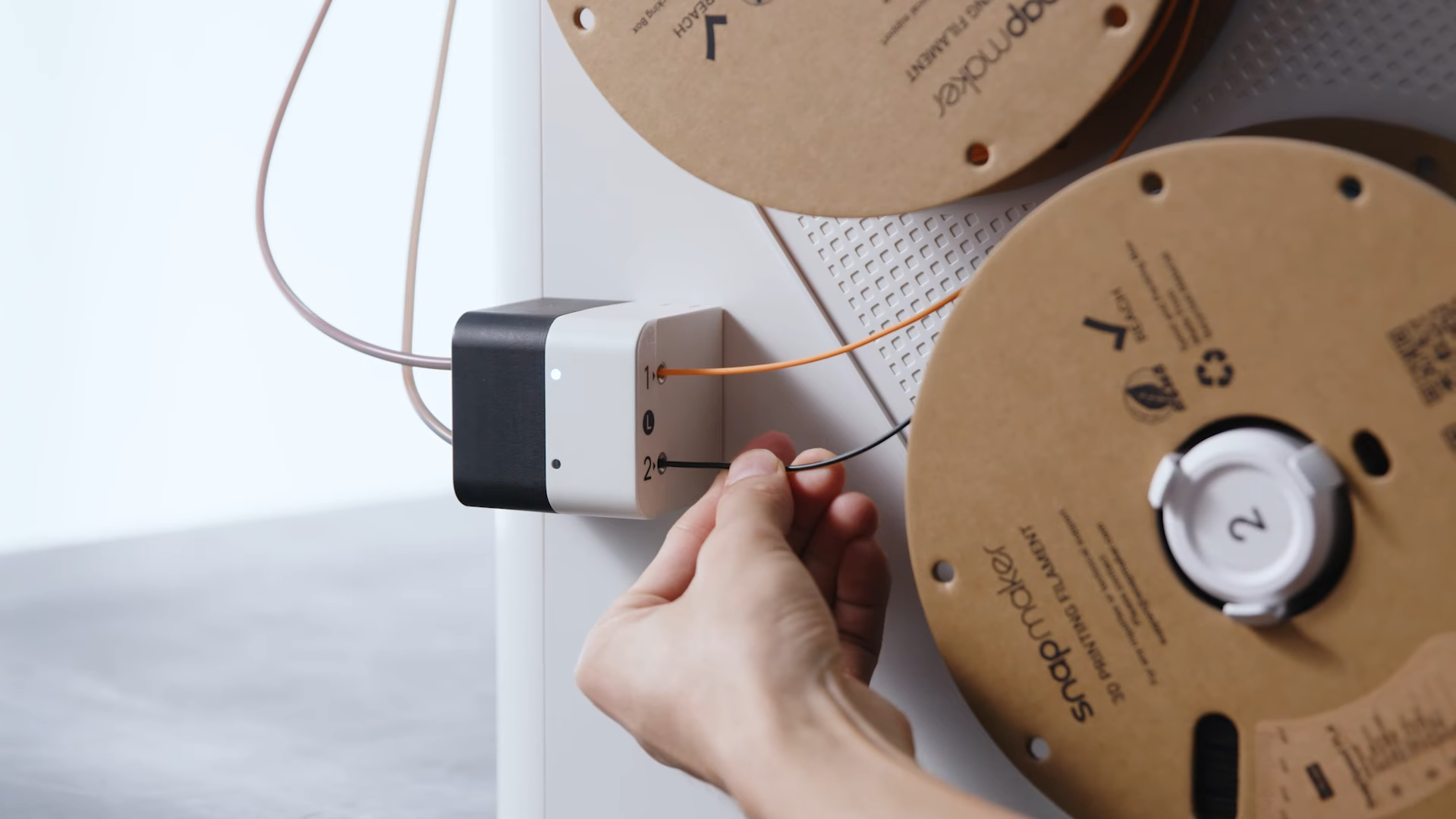
RFID (Radio Frequency Identification) refers to a small, passive electronic tag embedded in the cardboard or plastic core of the filament spool. This tag holds specific data about the material wrapped around it. Unlike a barcode, which must be visually scanned, an RFID tag communicates wirelessly via radio waves when it comes into close proximity with a compatible reader.
How the Communication Works
The process works through a "handshake" between your 3D printer and the spool:
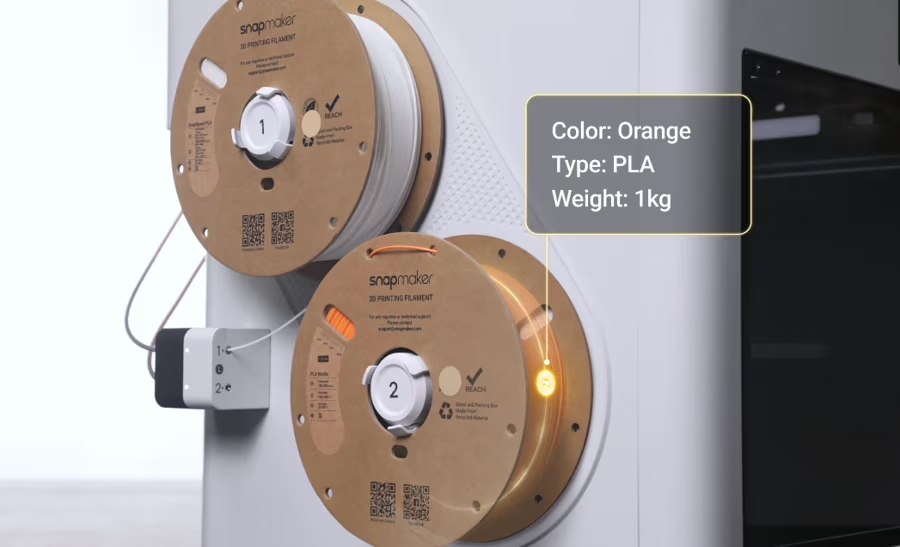
- The Writer (The Spool): The embedded tag contains data such as color hex codes, material type (e.g., Matte PLA, High-Speed PLA), manufacturing date, and initial weight.
- The Reader (The Printer): A compatible printer—such as the Snapmaker U1—houses an RFID reader near the filament holder or inside a multi-material station.
- The Handshake: When you drop the spool into the holder, the printer reads the tag instantly.
3 Main Benefits of Using RFID Filaments
Why does this matter? For many users, the transition to RFID is about removing friction. It turns 3D printing from a scientific experiment into a "load and go" experience.
1. Automatic Parameter Setting
The single biggest advantage of RFID filament is the elimination of manual calibration.
In a standard setup, if you switch from a glossy PLA to a matte finish, you usually need to manually select a different profile in your slicer to account for different melting points or flow characteristics.
With RFID, the printer pulls the optimal settings directly from the spool. For example, if you load a roll of SnapSpeed PLA into a compatible machine like the Snapmaker U1, the printer instantly recognizes it is high-speed filament. It automatically applies the correct temperature and pressure advance settings required to print at high velocities without clogging or under-extruding.
2. Real-Time Usage Tracking (With Material Stations)
There is nothing worse than starting a 14-hour print only to wake up to a printer "air printing" because the spool ran out halfway through the night.
Standard printers can’t "see" how much filament is left; they only know how much they have extruded since you turned them on. However, when RFID filament is paired with an advanced material station, it unlocks advanced spool management. Because these advanced systems can identify the specific unique ID of a spool via its RFID tag, the software can calculate how much material has been used over previous prints. This allows the system to track the remaining percentage and warn you if you don’t have enough left for your next project.
3. Color & Material Synchronization
For those using multi-material systems (printing with 4+ colors at once), manually mapping colors in the slicer software is tedious. You have to remember that "Slot 1 is Red" and "Slot 2 is Blue."
RFID systems auto-populate this data. When you open your slicer software, the virtual representation matches the physical reality of your printer perfectly.
The Controversy: Proprietary Ecosystems vs. Open Filament
The hesitation many users feel toward RFID comes from a fear of "Vendor Lock-in." There is a worry that printers will eventually only accept chipped spools, forcing users to buy expensive proprietary materials.
Here is the reality of the current market.
Understanding "Walled Gardens"
Currently, RFID tags are encrypted and proprietary. This means a spool of filament from Brand A will generally not be read by the RFID reader of Printer Brand B. They speak different languages.
To get the "smart" features—automatic loading and tracking—you must match the brand of the filament to the brand of the printer.
Can You Still Use Third-Party Filament?
Yes.
For the vast majority of consumer 3D printers, including the Snapmaker U1, the system remains open. You are free to use generic filaments from any brand you want. If you load a generic third-party spool, the printer simply won't auto-detect it. You will have to manually select "Generic PLA" on the touchscreen, just like you would on a traditional printer.
Conversely, if you buy a high-quality RFID filament, such as Snapmaker Matte PLA, but own a different brand of printer, the filament will still print perfectly. You simply won't utilize the RFID tag inside the spool; it functions effectively as a high-quality standard spool.
Can You Program Your Own RFID Tags?
A common question among makers is: "Can I buy cheap generic tags and program them myself so my printer thinks I'm using brand-name filament?"
Currently, this is very difficult. Most manufacturers use encrypted NFC protocols to prevent data corruption and ensure quality control. While there are community efforts and open-source projects attempting to reverse-engineer these tags, there is no simple "drag-and-drop" solution for consumers to write their own filament tags yet.
Is RFID Filament Necessary for You?
Should you pay extra for chipped filament? It depends on what you value in your workflow.
It makes sense if:
- You prioritize convenience: You want to swap colors and materials without touching slicer settings.
- You own a compatible ecosystem: If you have a printer like the U1, using compatible filament unlocks the hardware's full potential.
- You manage a print farm: When running a 3D printing business or multiple machines, automated tracking prevents inventory errors.
Standard filament is fine if:
- You are a tinkerer: You enjoy manually tuning flow rates and temperatures for every specific brand you buy.
- You buy in bulk: You are looking for the absolute cheapest cost-per-gram. Just remember to store your bulk filament properly to keep it printable.
FAQs on RFID Filament
Does Snapmaker filament have RFID?
Yes, specific lines such as the Snapmaker Matte PLA and SnapSpeed PLA feature RFID tags. However, the RFID functionality is exclusively supported on the Snapmaker U1 printer.
Can I use RFID filament on a printer that doesn't have a reader?
Absolutely. The filament itself is standard high-quality thermoplastic. If your printer lacks a reader, the tag is simply ignored, and you can print with it as you would any normal spool.
What happens if I put non-RFID filament in the Snapmaker U1?
The printer will allow you to print with it. You will simply need to manually select the material type and color on the interface, as the auto-detection feature will not be active.