What Is a Klipper 3D Printer? Firmware and Features Explained

It can be frustrating when you try to speed up your 3D printer only to end up with messy prints. At higher speeds, traditional printers often struggle with visible surface ripples, rounded corners, or violent vibrations that rattle the entire frame. If you have ever felt held back by your machine's speed limits, the bottleneck isn't always the physical hardware—it is often the firmware running behind the scenes.
Recently, the 3D printing community has seen a massive shift toward Klipper, an open-source firmware designed to drastically increase print speeds while improving overall part quality. This guide breaks down exactly what a Klipper 3D printer is, how the system works, and how it differs from traditional setups.
What Is Klipper Firmware?
Klipper is a modern 3D printer firmware that takes a completely different approach to motion control than traditional options.
- The Traditional Approach: Standard firmware runs entirely on the printer's internal motherboard, forcing a small, low-powered microcontroller to calculate complex physical movements, read sensors, and heat elements all at the same time.
- The Klipper Approach: Klipper introduces a "split-brain" architecture. It offloads all the heavy mathematical processing to a more powerful host computer (typically a Raspberry Pi or an integrated Linux processor).
The host computer calculates the complex movement trajectories ahead of time and sends precise, microsecond-timed instructions directly to the printer's mainboard. Because the printer's internal motherboard only has to execute pre-calculated commands rather than crunching the math, it can drive the stepper motors significantly faster and with greater precision.
How Klipper Improves Speed and Quality
By utilizing the computational power of a secondary host computer, Klipper introduces advanced motion-planning algorithms that are computationally expensive for many traditional printer controllers.
Input Shaping
As a 3D printer moves back and forth rapidly, the weight of the printhead creates mechanical vibrations that appear as wavy ripples on the surface of your model. Makers refer to this artifact as ghosting, ringing, or echoing.
Input Shaping is a resonance compensation technique that uses mathematical models to proactively cancel out these physical vibrations. It reshapes motion commands to minimize resonance before vibrations can build up. This allows your machine to print at high speeds without losing crisp surface quality.
Pressure Advance
Whenever a printer accelerates or decelerates, the pressure inside the nozzle does not change instantly. During acceleration, the extruder may not build pressure quickly enough, causing slight under-extrusion. During deceleration, residual pressure in the nozzle can continue pushing out filament, leading to over-extrusion. These pressure fluctuations can result in inconsistent line widths, rounded corners, blobs, or visible seams.
Pressure Advance compensates for this delay by dynamically adjusting extrusion flow during acceleration and deceleration. By increasing extrusion slightly before pressure drops behind the motion and reducing it before excess pressure builds up, it helps produce more consistent extrusion, cleaner corners, and smoother surface quality.
Web Interfaces
Unlike older firmware systems that require you to scroll through a tiny LCD screen on the printer, Klipper is commonly paired with web interfaces such as Fluidd or Mainsail through the Moonraker API. This allows you to monitor your prints, edit configuration files, and tweak printer parameters live over your local network using a phone or computer browser.
Marlin vs. Klipper Firmware
When looking at Klipper, it helps to compare it to Marlin, the reigning legacy firmware that has powered desktop 3D printers for over a decade. If you are deciding which system fits your specific needs, you can dive into the deeper technical differences in our dedicated Marlin vs. Klipper comparison guide.
DIY Upgrades vs. Out-of-the-Box Klipper
Because Klipper offers such clear performance upgrades, many makers choose to upgrade their older existing machines. However, a DIY Klipper installation can be highly intimidating. It requires sourcing a separate host processor, manually flashing microcontrollers, routing complex wiring for external sensors, and editing extensive configuration files.
For creators who want the speed and quality benefits of Klipper without the technical headaches of a DIY build, the market has shifted toward out-of-the-box Klipper-powered printers. These machines come pre-assembled with integrated compute hardware, calibrated electronics, and customized operating systems optimized for the specific machine right from the factory floor.
How Snapmaker Customizes Klipper
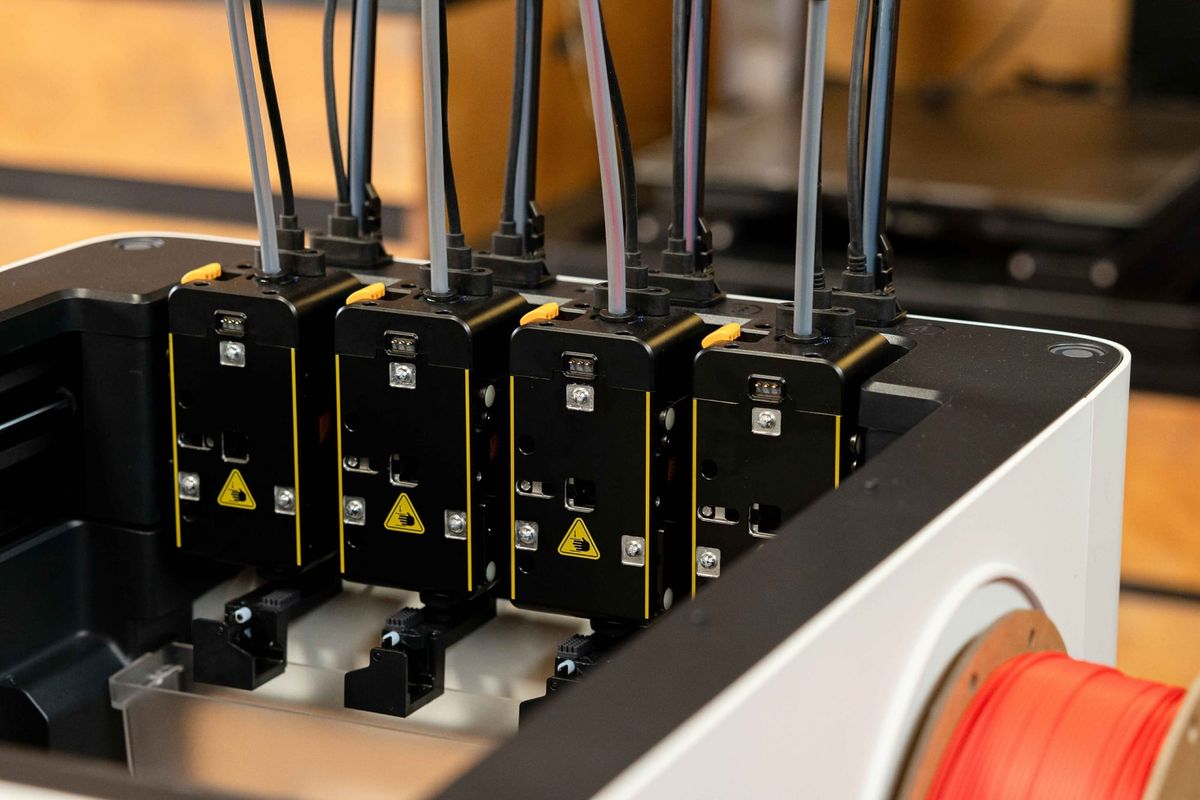
A prime example of an advanced turnkey system is the Snapmaker U1. Rather than simply using basic Klipper to drive a standard single-nozzle setup, the U1 utilizes an extensively extended system architecture.
Because standard Klipper code does not natively support coordinated, parallel multi-toolhead configurations, the Snapmaker engineering team rewrote approximately 20% of the core codebase to build a custom tool-switching engine. This enables the U1 to coordinate independent toolheads seamlessly for multi-material printing.
These Klipper-level customizations also power advanced hardware capabilities such as eddy-current automatic bed leveling, multi-toolhead XYZ calibration, and real-time RFID filament recognition. Consistent with our open-source philosophy, Snapmaker U1 firmware is now available on GitHub, allowing the community to freely explore, fork, and build upon these unique multi-toolhead innovations.
Frequently Asked Questions
What is a Klipper-based 3D printer?
A Klipper-based 3D printer is a machine that uses a multi-board control system. A primary mainboard drives the physical steppers and heaters, while a secondary, high-powered host computer processes all the movement planning and advanced math calculations to enable high-speed printing.
Is Klipper better than Marlin?
For speed, ease of customization, and high-speed surface finish, Klipper is generally superior. However, Marlin remains a highly stable, simpler option for basic, slower printers that do not require an external computer to operate.
Do I need a Raspberry Pi to run Klipper?
While a Raspberry Pi is the most common DIY method for running the Klipper host software, it is not strictly required. Many modern 3D printers bypass this entirely by building powerful Linux microprocessors directly into the machine's primary internal hardware.